Email Support
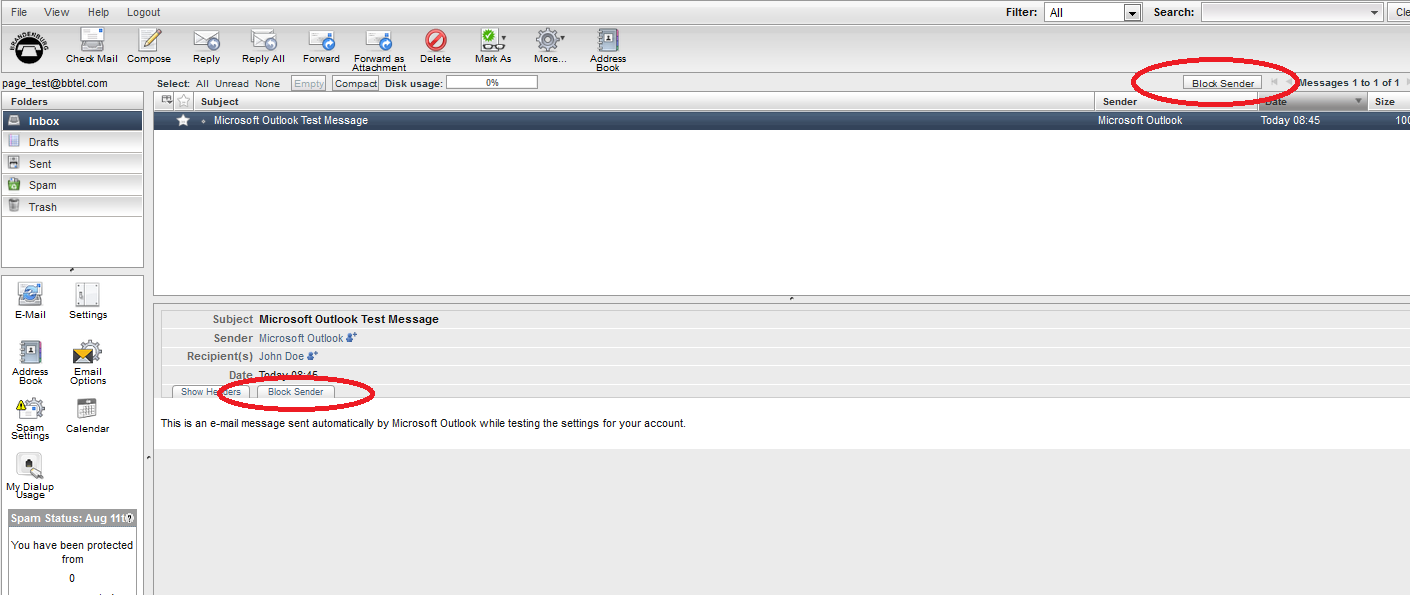
Block Sender
- Select the message from the inbox you wish to block by clicking the subject line.
- Click either Block Sender button.
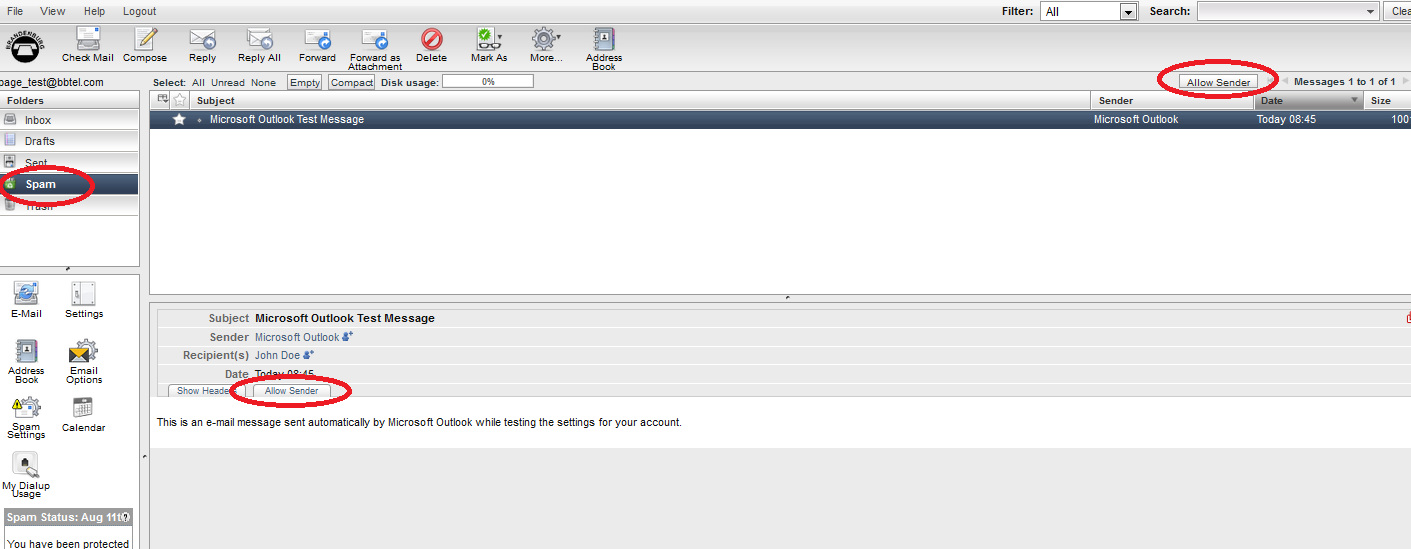
Approve Sender
- Navigate to the Spam Folder.
- Select the message you wish to approve by clicking the subject line.
- Click either Approve Sender button.